
Easy to Understand, with No Nonsense
Each lesson is designed to help you retain knowledge, with complicated topics broken down into easy to follow instructions.

Hands-on Learning Activities
The best way to learn is with hands-on experience. In this series, you'll work directly with Linux!

State of the Art Production
Each lesson is produced with cutting edge video quality
About the course
Use this to describe your product. Speak directly to your audience, address their challenges, and show them how your product provides a solution to their problems. Consider what might be holding your target audience back, and tackle those potential concerns upfront. Make sure you clearly state the practical benefits your audience will gain from your product. Share a glimpse of your expertise or the special approach that sets your product apart from the rest. Don’t forget to add a clear and simple call-to-action so that your audience knows exactly how and where to sign up!
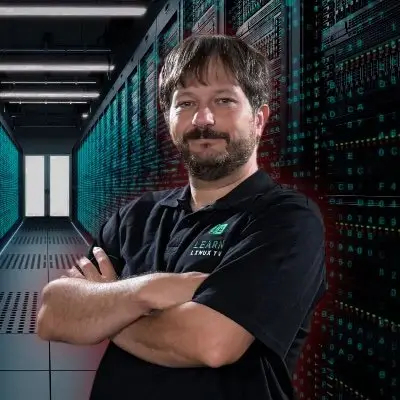
Jay LaCroix
Jay LaCroix has taught Linux to countless people all over the globe, with a platform that reaches millions of viewers worldwide. As the author of over six professionally published Linux books and a career spanning over two decades, Jay knows Linux—and now it's time for you to learn it too!
Curriculum
-
1
-
(Included in full purchase)
Lecture 1: Course Welcome, and Getting Started
-
(Included in full purchase)
Lecture 2: What is Linux?
-
(Included in full purchase)
Lecture 3: Hands-on Activity: Accessing Linux Source Code
-
(Included in full purchase)
Section 1 Quiz
-
(Included in full purchase)
-
2
-
(Included in full purchase)
Lecture 4: Popular Open Source Applications
-
(Included in full purchase)
Lecture 5: Popular Open Source Applications (Continued)
-
(Included in full purchase)
Lecture 6: Desktop Components
-
(Included in full purchase)
Lecture 7: Hands-On Activity - Running Linux from a Flash Drive
-
(Included in full purchase)
Section 2 Quiz
-
(Included in full purchase)
-
3
-
(Included in full purchase)
Lecture 8: Command Line Basics
-
(Included in full purchase)
Lecture 9: More Command Line Fun
-
(Included in full purchase)
Lecture 10: Accessing Documentation
-
(Included in full purchase)
Section 3 Quiz
-
(Included in full purchase)
-
4
-
(Included in full purchase)
Lecture 11: Archiving and Compressing Files
-
(Included in full purchase)
Lecture 12 - Data Streams
-
(Included in full purchase)
Lecture 13: Writing Bash Scripts
-
(Included in full purchase)
Lecture 14: Hands-on Activity - File Compression
-
(Included in full purchase)
Section 4 Quiz
-
(Included in full purchase)
-
5
-
(Included in full purchase)
Lecture 15: Linux as an Operating System
-
(Included in full purchase)
Lecture 16: Hardware Components
-
(Included in full purchase)
Lecture 17: The Linux Filesystem
-
(Included in full purchase)
Lecture 18: Connecting Networks
-
(Included in full purchase)
Section 5 Quiz
-
(Included in full purchase)
-
6
-
(Included in full purchase)
Lecture 19: Users and Groups
-
(Included in full purchase)
Lecture 20: Understanding File and Directory Permissions
-
(Included in full purchase)
Lecture 21: Managing Resources
-
(Included in full purchase)
-
7
-
(Included in full purchase)
Lecture 22: Course Closing
-
(Included in full purchase)
Lecture 23: Hands-on Activity: Building a Debian Virtual Machine inside VirtualBox
-
(Included in full purchase)
What people are saying
Testimonials build trust — fast. Edit this section to show how your product is making a difference and help your audience purchase with confidence.
If you want to learn from an instructor who truly understands how beginners feel, keeps things simple yet comprehensive, and delivers incredible value for your money, enroll in this course and finish it.
Jay explains everything in simple terms that anyone can understand. Would recommend taking this course to anyone looking to get their LPI certification as the topics are explained clearly.
I've listened/watched Jay on Youtube for years and he makes things very easy to understand and fun! Keep up the great work Jay!
Excellently presented with clear and concise lessons. I really enjoyed following along and doing my own hands-on practice in Linux.
Learn Linux with this expert-taught Course!
Get started and Learn Linux today!
$40.00